reactpro-conversion
ReactPro - WordPress to React Conversion
Premium WordPress to React conversion landing page. Deploy in minutes, no local setup required.
Features
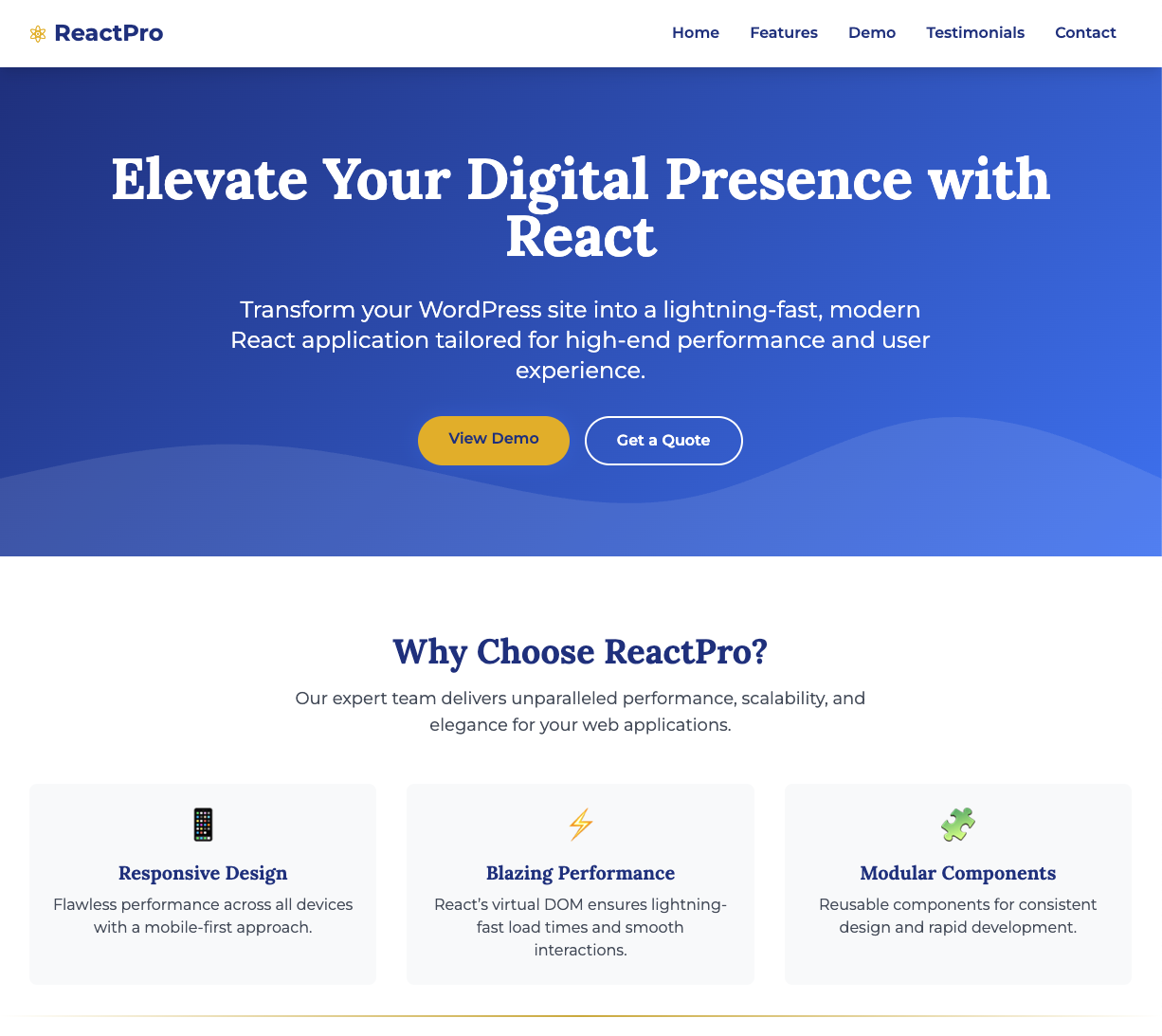
- Blazing Fast Performance - Built with Next.js 15 for optimal speed and SEO
- Claude AI Integration - Interactive chat widget powered by Claude for instant answers
- Responsive Design - Flawless experience across all devices
- One-Click Deploy - Deploy to Vercel with a single click
- Local Preview Mode - Explore the UI without any API keys
Quick Start
Step 1: Get Your API Keys
Before deploying, you’ll need:
- Supabase - Create a free project at supabase.com
- Go to Settings > API to get your URL and publishable key
- Anthropic - Get an API key at console.anthropic.com
Step 2: Deploy to Vercel
Click the deploy button above and enter your API keys when prompted.
Step 3: Set Up Database
Run supabase/schema.sql in your Supabase SQL Editor to create the required tables.
Step 4: Done!
Your app is now fully functional.
Environment Variables
| Variable | Description | Required |
|---|---|---|
NEXT_PUBLIC_SUPABASE_URL |
Supabase project URL | Yes |
NEXT_PUBLIC_SUPABASE_PUBLISHABLE_KEY |
Supabase publishable key | Yes |
ANTHROPIC_API_KEY |
Anthropic Claude API key | Yes |
Local Development
For local UI development without API keys, the app includes sample data:
# Clone the repository
git clone https://github.com/quantnexusai/reactpro-conversion.git
cd reactpro-conversion

# Install dependencies
npm install

# Start development server
npm run dev
Open http://localhost:3000 to see the app with sample data.
Note: This is for development only. Deployment requires valid API keys.
Tech Stack
- Framework: Next.js 15 (App Router)
- Styling: Tailwind CSS
- Database: Supabase (PostgreSQL)
- AI: Claude API (Anthropic)
- Hosting: Vercel
- Icons: Lucide React
Project Structure
├── src/
│   ├── app/                 # Next.js pages and API routes
│   ├── components/          # React components
│   └── lib/                 # Utilities and types
├── supabase/
│   └── schema.sql          # Database schema
├── public/                  # Static assets
└── package.json
Screenshots
Homepage
Contributing
See CONTRIBUTING.md for local development setup.
Need Help?
For assistance with deployment, configuration, or customization (MCP servers, AI agents, etc.), contact us at ari@quantnexus.ai
License
MIT License - use freely for personal or commercial projects.
Built with React by QuantNexus AI